A CRM ticketing system that keeps every request on track
Turn conversations into tickets in one click. Manage SLAs, priorities, statuses and assignees, automate with macros, and keep chat, email and social in a single team inbox.
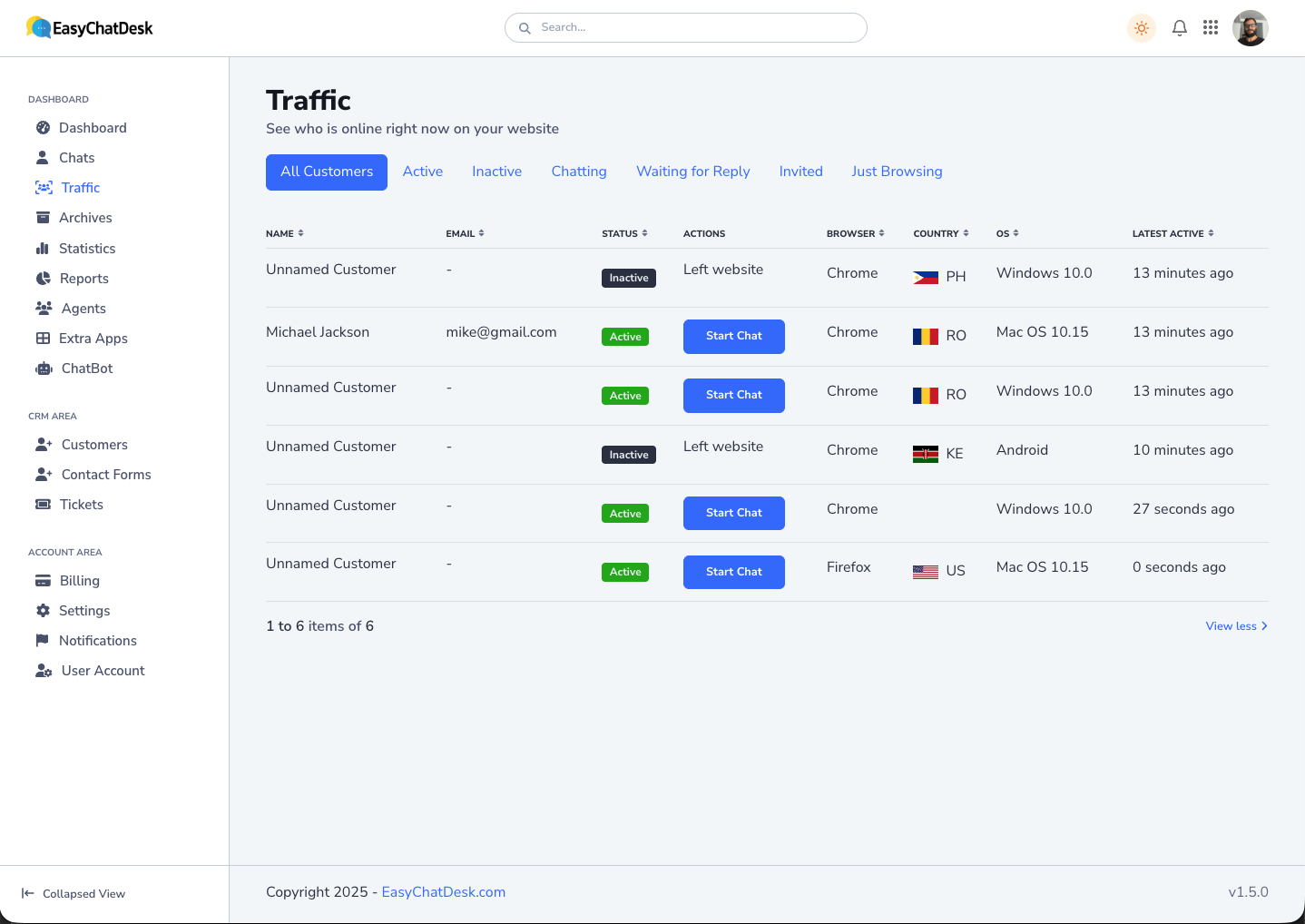
Everything your support ops needs
One-click tickets
Convert any chat or email into a ticket with the full conversation history attached.
Shared team inbox
Chat, email-to-ticket and social channels on one timeline so nothing slips through.
SLAs & priorities
Set response and resolution targets, priorities and statuses. Get alerts before SLAs breach.
Macros & automation
One-click macros, assignment rules and triggers automate repetitive workflows.
Routing & collision
Round-robin, skills-based routing and collision detection keep work balanced and tidy.
Reporting & CSAT
Track first-response time, resolution rate and CSAT by agent, team and channel.
Never miss a message again
Every conversation is saved to your CRM and ticketing inbox. Reply from the dashboard or straight from email — your response syncs to the customer's thread automatically.
- Email-to-ticket with threading
- Tags, internal notes and @mentions
- Full, searchable customer history
Automate the busywork
Macros apply canned replies, set status, assign owners and add tags in one click. Triggers route and prioritise tickets automatically so your team focuses on solving problems.
- One-click macros
- Assignment and escalation rules
- CSAT surveys after resolution
Frequently asked questions
What is a CRM ticketing system?
It's a tool that captures customer requests from chat, email and social as trackable tickets, tied to a customer record, so your team can prioritise, assign, resolve and report on them in one place.
What's the difference between a CRM and a ticketing system?
A CRM stores who your customers are — contact details, orders, history, notes. A ticketing system tracks what they need help with. A CRM ticketing system merges the two, so every ticket arrives with full customer context attached instead of forcing agents to look it up.
Do I need a CRM ticketing system if I only use a shared inbox?
A shared inbox works until roughly 30–50 requests a week, or until more than two people answer them. Past that, you start seeing duplicate replies, dropped threads and no way to measure response times. That's the point where ticketing pays for itself.
Is ticketing included on every plan?
Yes. A built-in ticketing system is available on all EasyChatDesk plans, with help desk features expanding on Business and Platinum.
Can I connect my support email?
Yes. Connect your support inbox and incoming emails become tickets automatically, with replies syncing back to the customer.
How long does it take to implement?
For a small team, a working setup takes an afternoon: connect your email and chat widget, define three or four ticket statuses, set routing rules for your main request types, and go live on your highest-volume channel first.
Does it integrate with my other tools?
It connects to Slack, Zapier, webhooks and our API so you can push tickets and events into your existing stack, plus native connectors for Shopify, WooCommerce and WordPress.
CRM ticketing systems: the complete guide
A CRM ticketing system has quietly become the backbone of modern customer support. It combines who your customers are with what they need help with — so every conversation is fast, personal and accountable. This guide covers how these systems work, the features that actually matter, how to roll one out, and what to measure once you have.
What a CRM ticketing system actually is
At its core, a CRM ticketing system turns every customer request — from chat, email, forms or social — into a trackable ticket, and links that ticket to a customer profile containing their history, orders and notes. The result is a single source of truth for support.
The distinction matters. A standalone CRM tells you that Maria has been a customer for two years and spent $1,400. A standalone ticketing system tells you someone has an unresolved question about a refund. Only the combination tells you that Maria, a two-year customer who has spent $1,400, is waiting on a refund and has already emailed twice — which is the difference between a generic reply and a good one. Our breakdown of CRM vs ticketing system goes deeper on where each tool ends.
How it works, step by step
- A request arrives on any channel — live chat, email, a web form, or a social message.
- A ticket is created with a unique ID, status, priority and owner.
- The CRM layer attaches context — past tickets, orders, plan details, internal notes.
- Rules triage it: route billing to finance, escalate anything urgent, auto-tag by keyword.
- An agent (or AI) resolves it, with every reply and status change logged on one timeline.
- The data feeds reporting so you can see response times, volumes and satisfaction.
The core components
Tickets and conversations. Every request becomes a ticket with a status (open, pending, resolved), priority and owner. Replies, internal notes and status changes all live in one timeline, so handoffs between agents don't lose information.
The CRM layer. Each ticket attaches to a contact record — previous tickets, purchase history, subscription details, free-form notes. This is the context that makes a reply feel personal rather than robotic.
Automation and routing. Rules do the repetitive thinking: assign by category, escalate by priority, auto-tag by keyword, and follow up when a ticket goes quiet. Good automation is the difference between a calm queue and chaos.
AI assistance. An AI chatbot sits at the front line, answering FAQs 24/7 and only creating a ticket when a human is genuinely needed. Behind the scenes, AI can draft replies, summarise long threads and suggest tags.
Channels and connectors. A good system meets customers where they are — a live chat widget on your site, email-to-ticket, and integrations with Shopify, WooCommerce, WordPress, Slack and Zapier so tickets carry real-world data.
The features that actually matter
When you evaluate platforms, weigh these heavily — roughly in this order:
- Omnichannel inbox — one place for every conversation, or you've just moved the problem.
- Linked customer history — the CRM layer is the whole point; don't accept a bolt-on.
- Chat-to-ticket conversion — turn a live chat into a tracked ticket in one click, with the transcript attached.
- An AI chatbot that deflects repetitive questions before they become tickets.
- Automation and routing — assignment rules, triggers, macros and escalation paths.
- SLAs and priorities — response and resolution targets with alerts before a breach. See what an SLA is if you're setting these for the first time.
- Custom forms — capture the right details up front so agents don't spend the first reply asking for an order number.
- Reporting and analytics — you can't improve what you don't measure.
- Customisation and branding — the widget and emails should look like you, not your vendor.
- Fair, predictable pricing — per-agent costs that scale, not per-ticket or per-resolution billing that punishes growth.
What changes if you run an online store
Retail support has a different shape: most tickets are about a specific order, and most of them are urgent to the customer even when they're routine to you. Three features matter disproportionately.
Order-aware tickets. When a store connector is in place, the agent sees the order number, status, items and tracking link without leaving the ticket. This alone removes the most common back-and-forth in ecommerce support.
Proactive messages on high-intent pages. Triggering a chat on the cart or checkout page catches the questions that otherwise become abandoned carts rather than tickets.
Forms for returns and RMAs. Structured intake for returns turns your messiest ticket category into your most predictable one. More on this in our guide to ecommerce customer support software.
How to implement one without a three-month project
- Map your channels. List where requests actually arrive today — email, chat, social, phone.
- Define statuses and priorities. Keep it simple: open, pending, resolved, plus a clear urgent flag. You can always add more; you rarely remove them.
- Set routing rules for your three or four biggest request categories. Don't try to model every edge case on day one.
- Connect your tools — store, CRM and Slack — so context flows automatically.
- Add an AI chatbot trained on your FAQs and help docs to deflect the easy questions.
- Pick your metrics before launch, not after. Three or four is plenty.
- Train the team and go live on your highest-volume channel first, then expand.
If you're integrating with an existing CRM rather than replacing it, our walkthrough on integrating a ticketing system with your CRM covers the sync patterns that tend to work.
What to measure once you're live
Nine metrics get talked about; four of them drive decisions. Start here and add the rest only when you have a specific question they answer.
- First response time (FRT) — how long a customer waits for any human acknowledgement. The single strongest predictor of satisfaction.
- Resolution time — how long until the issue is actually closed. Track the median, not the mean; one nightmare ticket will distort the average.
- First contact resolution (FCR) — the share of tickets closed on the first reply. Rising FCR usually means your macros and knowledge base are working.
- CSAT — a one-click survey after resolution. Low volume is fine; the trend is what matters.
Secondary metrics worth a monthly look: ticket volume by category (tells you what to fix in the product), backlog age, SLA compliance, and reopen rate. A rising reopen rate is the clearest signal that agents are closing tickets before customers consider them solved. For the full framework, see our guide to customer support metrics.
Common pitfalls
- Over-engineering automation before you understand your real ticket flow. Watch two weeks of tickets first.
- Ignoring AI and forcing agents to answer the same five questions forever.
- Skipping reporting, so you can't prove — or improve — performance.
- Choosing a tool that bills per ticket or per resolution, which turns a good month into a bigger invoice.
- Migrating everything at once instead of starting with your busiest channel.
How to choose the right tool
The best choice depends on size and channels. Enterprises with dedicated support ops gravitate toward heavyweight suites and can absorb the implementation cost. Small and mid-sized teams usually want something that bundles chat, AI and ticketing without enterprise pricing or a long rollout — our roundup of the best CRM ticketing tools for small businesses compares the leading options. Regulated industries have their own constraints; if that's you, start with CRM ticketing for healthcare providers.
Where EasyChatDesk fits
EasyChatDesk brings the whole stack together: a fast live chat widget, an AI chatbot trained on your content, full CRM ticketing, and custom forms — in one platform you install with a single line of code. Conversations from chat, email and forms become tickets automatically, each tied to a customer profile with complete history.
Built-in connectors for Shopify, WooCommerce, WordPress, Slack and Zapier mean tickets arrive with real context like order details already attached. Pricing starts at $17/agent/month billed yearly, with a 14-day free trial — see the pricing page for the full breakdown.
The bottom line
In 2026, a CRM ticketing system is table stakes for any team serious about support. Combine customer data with structured tickets, add AI to handle the repetitive questions, measure three or four clear metrics, and you'll deliver faster, more personal support without adding headcount. Choose a platform that unifies chat, AI and ticketing from the start, and everything downstream gets easier.
Run support on one platform
Live chat, AI chatbot and a CRM ticketing system — all in one inbox.
- Guided onboarding
- Scale-as-you-grow pricing
- 55+ languages
- 14-day free trial
- Cancel anytime